
Grouped Checkboxes Control
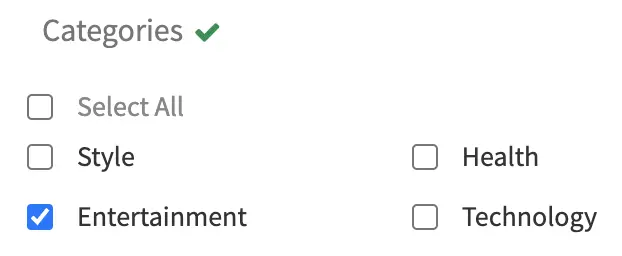
Several checkboxes (true/false).
Example
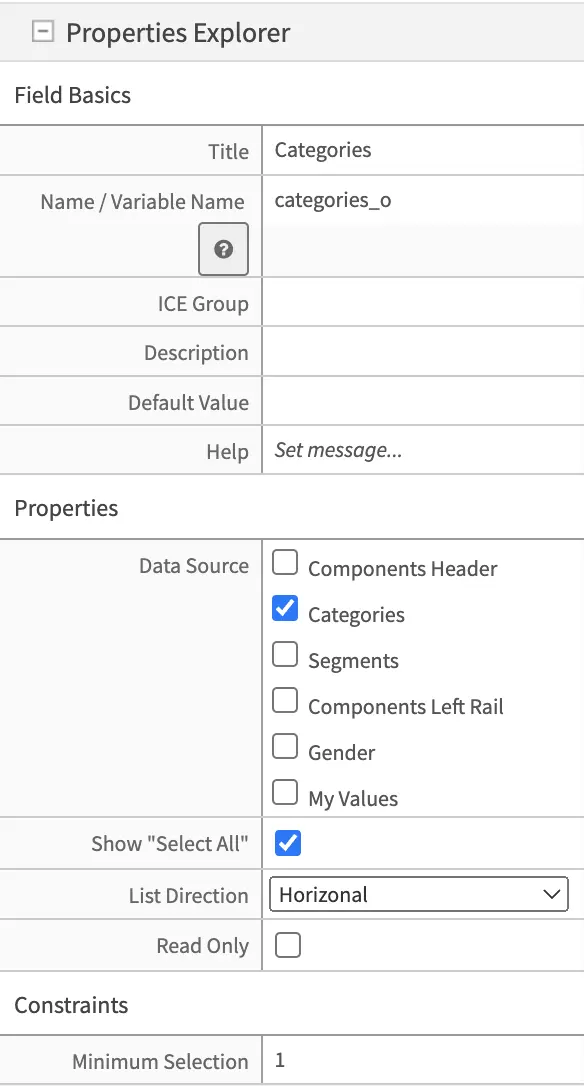
Configuration
Name |
Description |
|---|---|
Field Basics |
|
Title |
Control title to show the author on the input form |
Name / Variable Name |
Name of variable to store the final result in. This is used by the View layer or the Controllers to gain access to the data during runtime |
ICE Group |
In-Context Edit Group: During ICE editing in Preview mode, this control will be part of this group for editing which means when the author click on the Pencil Tool, they will get all the controls in the same group associated with the specific Pencil Tool |
Description |
Form Control description |
Help |
Help to show authors on the input form associated with this control |
Properties |
|
Data Source |
Source that will populate the checkboxes. |
Show Select All |
To select/unselect all options. |
List Direction |
Display list horizontally or vertically |
Read Only |
Make field read-only (can’t be changed by the author). |
Constraints |
|
Minimum Selection |
Set a minimum amount of checkboxes to be selected. |
Related Data Sources |