
Time Control
Date and Time field with a picker.
Example


Configuration
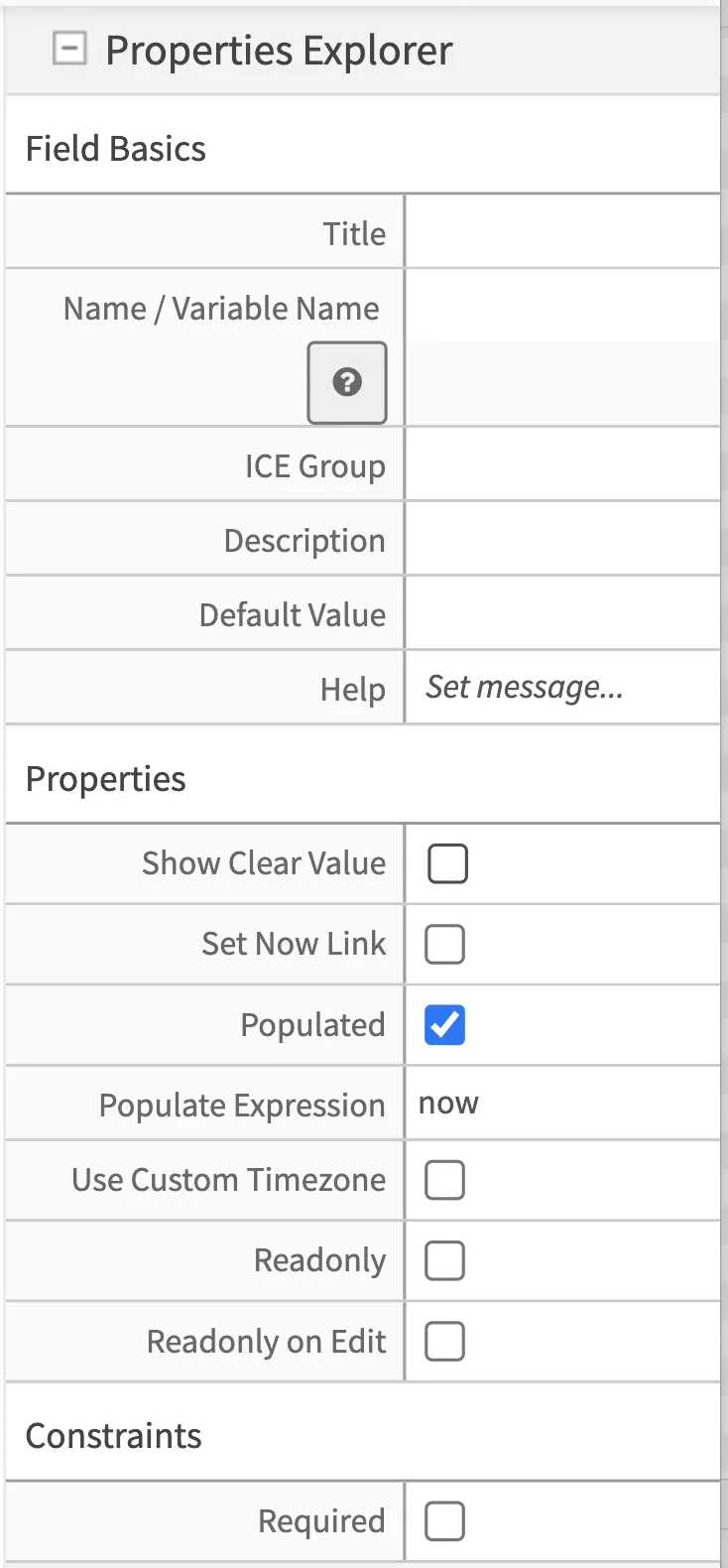
Name |
Description |
|---|---|
Field Basics |
|
Title |
Control title to show the author on the input form |
Name / Variable Name |
Name of variable to store the final result in. This is used by the View layer or the Controllers to gain access to the data during runtime |
ICE Group |
In-Context Edit Group: During ICE editing in Preview mode, this control will be part of this group for editing which means when the author click on the Pencil Tool, they will get all the controls in the same group associated with the specific Pencil Tool |
Description |
Form Control description |
Help |
Help to show authors on the input form associated with this control |
Properties |
|
Show Clear Value |
Display link to clear value |
Set Now Link |
Display link to set time to now |
Populated |
Put in values in the date/time based on populate expression |
Populate Expression |
Populate date/time control using the following expressions: now [+ or -][number][days or weeks or years or hours or minutes] |
Use Custom Timezone |
Allows user to select a timezone |
Readonly |
Make field read-only (can’t be changed by the author). |
Readonly on Edit |
|
Constraints |
|
Required |
Make field required to fill out. |
Related Data Sources |
None |